How to create a Subscription Plan family?
Last updated Over 1 year ago
Follow these steps to create a Plan Family for the Platform Subscription (Basic and Pro Plans):
Step 1: Access the Partner Dashboard
Log in to your Partner Dashboard.
Navigate to the Plan Details section from the left-side menu.
Step 2: Create a Subscription Plan Family
In the Subscription Plan Family section, click on the Create button.
A pop-up window labeled Create Plan Family will appear.
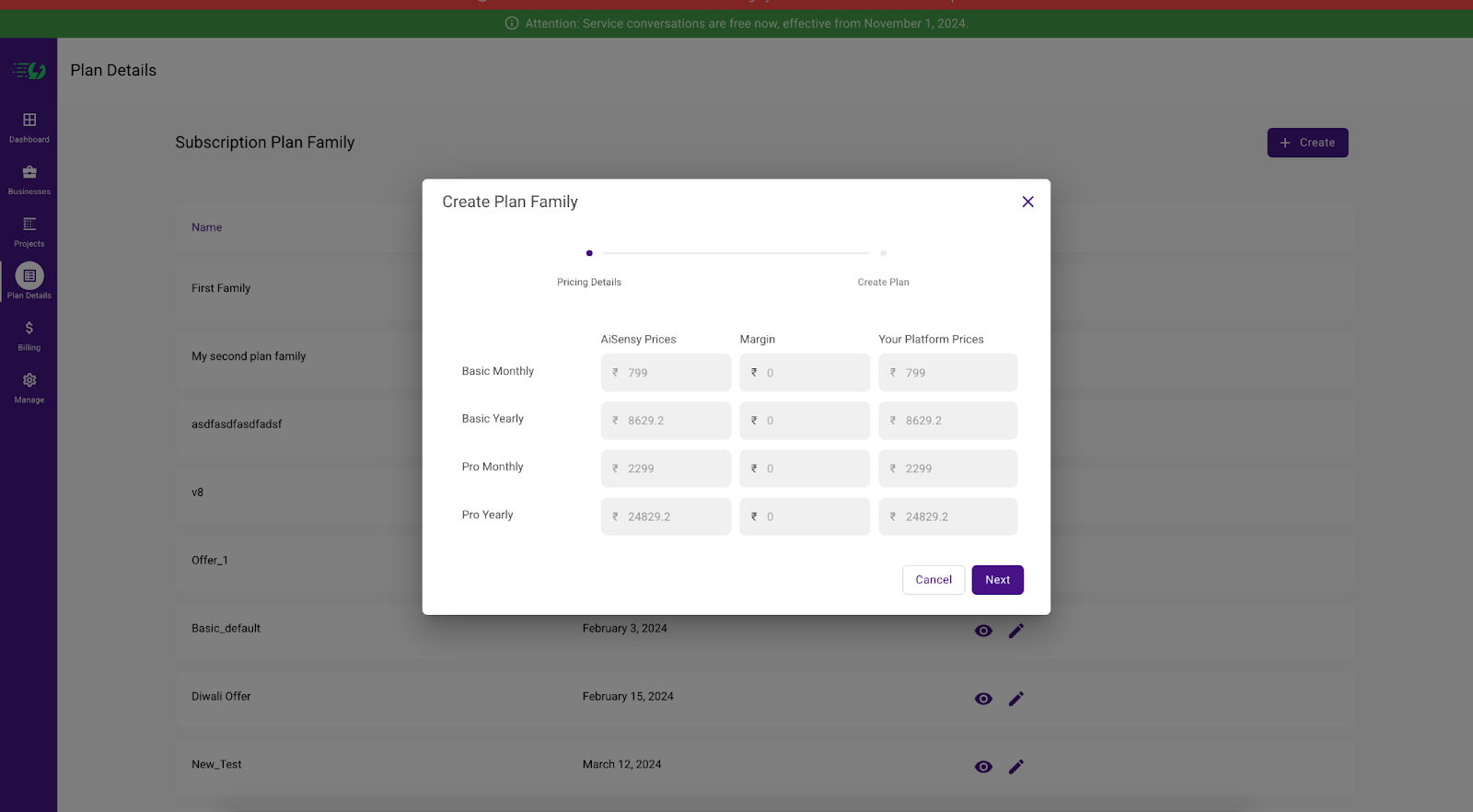
Step 3: Configure Pricing Details
In the Pricing Details section, you will see pre-set AiSensy Prices for different plans:
Basic Monthly
Basic Yearly
Pro Monthly
Pro Yearly
Adjust the Margin values as per your pricing strategy. The platform will automatically update Your Platform Prices based on the margin entered.
Step 4: Proceed to Plan Creation
After setting up the pricing and margins, click the Next button.
Follow the on-screen instructions to complete the plan creation process.
Step 5: Review and Finalize
Verify the entered details to ensure accurate pricing.
Click Save to confirm the creation of the Plan Family.
Your new Plan Family will now be listed under the Subscription Plan Family section, ready for use in the platform subscription.
For any further assistance, please contact support at partnership.support@aisensy.com.
Note: Please note that this deduction will only happen from the centralised balance, the centralised balance will only be deducted upon renewal of the billing cycle.
2. The subscription charges will be deducted as per AiSensy prices from centralised balance & not AiSensy prices + Margin amount.